logoKlox
Pricing

AI motion control: motion capture from any video, no suit required

Upload the clip with the movement you want and the character that should perform it. No capture suit, no keyframes, and no prompt required.

How motion control works

  1. Upload the reference video

    A dance take, a gesture, a walk — whatever movement you want reproduced. Phone footage is enough.

  2. Add the character image

    The character keeps its face, outfit and style while following the movement in your reference. Several angles of the same character give the model more to hold onto.

  3. Generate and keep building

    Pick the resolution and generate. The result lands on the Klox canvas, where you can extend it, restyle it or cut it into a longer edit.

What motion control gives you

  • The character stays the character

    Face, outfit and style come from your images, not from the person in the reference video. Only the movement is transferred.

  • Up to nine angles of one character

    Front, profile, back — the more the model has seen, the better it holds up when the reference turns the head or walks away from camera.

  • Several reference clips at once

    Kling Motion Control takes up to three clips in one run, so a movement you filmed in pieces does not have to be re-shot as one take.

  • It continues on the canvas

    The result is a node, not a download. Extend it, restyle it, add the next shot, and compose the whole thing without leaving Klox.

Made with Klox

Published work from the Klox community. Open any project to see how its shots were put together.

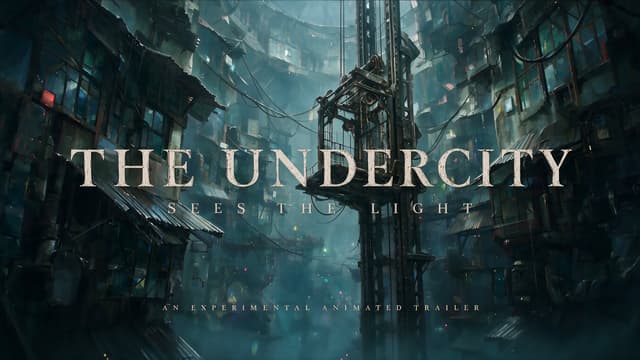
Light in the Lower City

Light in the Lower City

A 2.5D painterly short about two warriors escaping a rain-locked city to find the true sky.

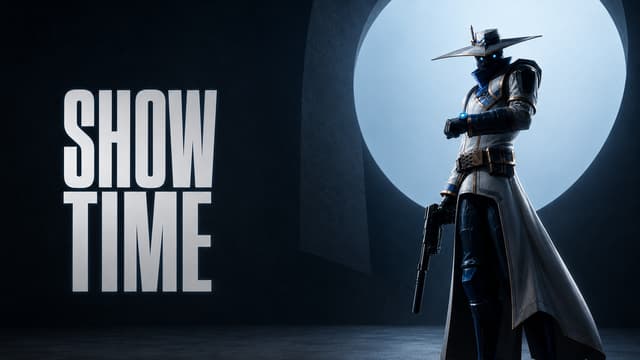
SHOWTIME -  3D-VALORANT Awakening

SHOWTIME - 3D-VALORANT Awakening

An AI-assisted 3D cinematic reimagining of VALORANT agents unleashing their signature abilities.

What people use motion control for

  • Character animation without mocap

    Give an illustrated or 3D character a real performance, filmed on a phone instead of recorded in a capture suit.

  • Dance and short-form trends

    Put a choreography you filmed once onto your own character and publish it as a vertical short.

  • Brand mascots and spokespeople

    Have a mascot repeat a take you filmed once, in as many variations as the campaign needs.

  • Previsualization

    Block out a performance before the shoot, so pacing and staging are settled before the crew is booked.

Two motion control models

Pick by the shape of your material: many angles and several short clips, or one long take.

ModelReference clipsClip lengthCharacter imagesResolutions
Kling Motion Controlup to 33–15 sup to 9720p · 1080p
Kling Motion Control 3.013–30 s1720p · 1080p

Bring your reference footage

Open the canvas and run motion control on your own clip and character.

Frequently asked questions

Still have questions? Email our support team

1
What do I need to get started?
Two things: a reference video containing the movement, and an image of the character that should perform it. A prompt is optional — leave it empty and the reference alone drives the shot.
2
How long can the reference video be?
Kling Motion Control takes clips of 3 to 15 seconds and accepts up to three of them. Motion Control 3.0 takes a single clip of 3 to 30 seconds.
3
How many character images can I upload?
Kling Motion Control accepts up to nine, so you can show the same character from several angles. Motion Control 3.0 takes one.
4
Can the character keep looking like itself?
That is what the character images are for. Several sharp, well-lit shots of the same character hold up better than one small or blurry image, especially when the reference turns the head or moves between close and wide framing.
5
What resolutions and costs are available?
You can generate at 720p or 1080p. The credit cost depends on the model and the length of the result, and it is shown before you generate.
6
What makes a good reference video?
One person, visible from head to foot if the movement uses the whole body, in even light and against a background that does not swallow the silhouette. Motion blur and heavy occlusion are what usually cost you accuracy.
7
What if the reference and the character do not match?
Proportions that are far apart — a four-legged character driven by a walking person, say — give you the least predictable results. Keep the body plan close, and use the prompt to describe what the reference cannot show.
8
Can I use the results commercially?
Paid plans include commercial use. You are still responsible for the rights to what you upload — the reference footage and the character you animate.
9
Is this the same as motion capture?
It is markerless motion capture in the sense that matters: the movement is read from ordinary footage, with no suit, no markers and no studio. What differs is the output — a finished video shot of your character, not a 3D skeleton you can retarget in Blender or Unreal.